How to Safely Transport Electronics to a Repair Shop
Transporting a TV, robot vacuum, amplifier, microwave for repair: packing, screen protection, what to remove, what to bring. SATER drop-off guide, Riga.
Ketut Subiyanto / Pexels
Contents
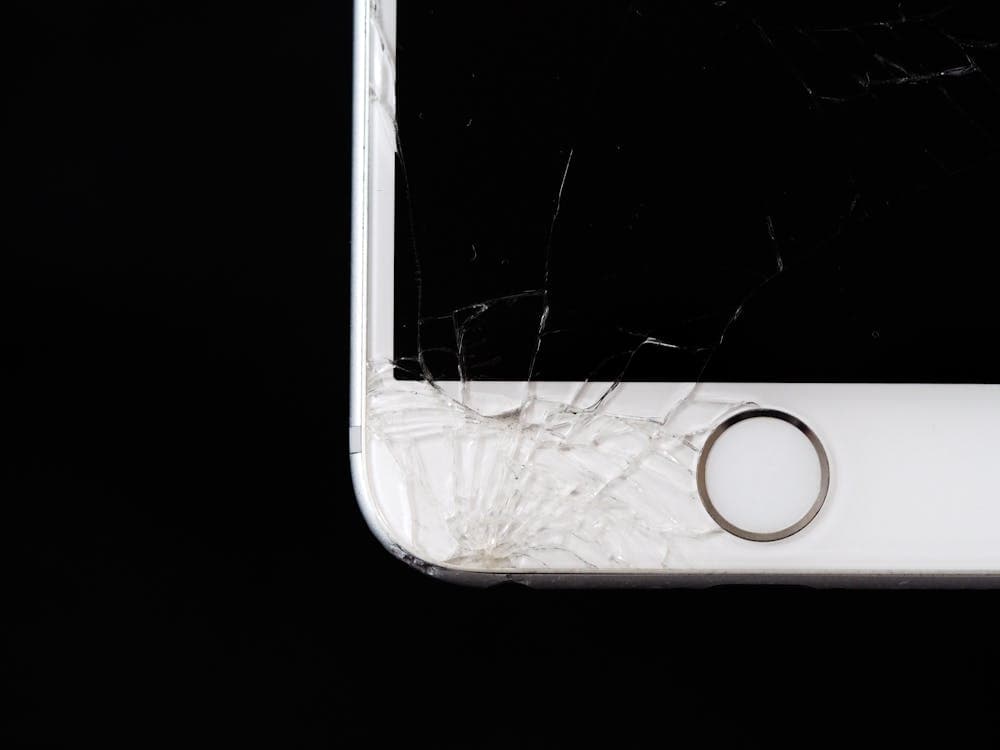
You've decided to take your equipment in for repair — excellent. But incorrect transport can turn a minor fault into a catastrophe. A cracked TV screen, a damaged robot vacuum's laser, a bent turntable tonearm — at the SATER service centre on Silmaču iela 6, we've seen it all. A device brought in "just for a check-up" picks up damage en route that costs more than the original repair.
This guide provides step-by-step instructions for safely transporting different types of electronics.
Step 1: General Rules for All Electronics
Switch Off and Unplug
Wind up the power cable and secure it with a rubber band or cable tie. If the cable is detachable, pack it separately.
Back Up Your Data
If the device stores data (laptop, TV box, NAS), back up before bringing it in. We treat customer data with care, but repairs may involve a factory reset or drive replacement.
Photograph Your Connections
If you have a complex audio system with multiple cables, photograph all connections before unplugging.
Don't Disassemble
Don't remove covers, unscrew panels, or pull out circuit boards "to make it easier for the technician." Disassembly without experience often causes additional damage: torn flex cables, broken clips, lost screws. Bring the device in fully assembled.
The Ideal Packaging Is the Original Box
If you've kept the original box with its foam inserts — use it. No box? Read on.
Step 2: Televisions and Monitors
A television is the trickiest device to transport. Large, heavy, and with a fragile screen (especially OLED).
Rule No. 1: Upright Only
Transport the TV standing vertically, screen facing the side wall of the car or the seat back. Never lay it screen-down — any small object on the surface can crack the panel. Screen-up is also risky: items can fall onto it under braking.
Screen Protection
- Ideal: a sheet of foam polyethylene or bubble wrap in front of the screen
- Good: a thick blanket or soft fabric
- Minimum: cardboard (but ensure no adhesive tape touches the screen!)
Securing in the Vehicle
The TV must not stand freely in the boot — it will topple when you brake. Press it against the boot wall and wedge it with soft items (pillows, blankets, towels).
Temperature
If it's freezing outside, let the TV acclimatise for 2–3 hours at room temperature before switching on. Condensation on electronics from a sharp temperature change can cause a short circuit.
Step 3: Robot Vacuums
Preparation
- Empty the dustbin — the technician will appreciate it.
- Remove the mopping module (if fitted): water tank, vibrating pad. Drain the water, dry the tank.
- Remove side brushes if they come off easily.
- The dock doesn't need to come if the problem is with the robot itself (navigation, motor, sensors). If the issue is charging — bring both.
Packing
Wrap the robot in soft cloth or bubble wrap. Pay special attention to the LiDAR turret (on top of Roborock, Dreame, Xiaomi models). Place in a bag with the LiDAR facing up.
Step 4: Amplifiers and Audio Equipment
Preparation
- Disconnect all cables (interconnects, speaker cables, power).
- Remove the aerial (if FM tuner).
Packing
Wrap in soft cloth. Place in a box with the front panel facing up. Fill voids with crumpled paper or fabric.
Turntable
Special case: the tonearm is the most fragile element. You must lock the tonearm with its rest clamp. Fit the stylus guard. Remove the counterweight if it unscrews easily. Transport horizontally — don't tip.
Step 5: Microwave Ovens
Preparation
- Remove the glass turntable and roller ring — the glass can break with vibration. Pack separately.
- Ensure the door is closed and latched.
Transport
Keep horizontal (as it sits on the kitchen counter). Don't tip or lay on its side.
Step 6: Power Tools
- Remove attachments (drill bits, discs, router bits).
- Remove the battery — safer and lighter.
- Bring the charger if the problem might relate to charging.
Step 7: What to Bring to the Service Centre
Essential
- The device itself (intact)
- Power cable (if detachable)
- Remote control (for TVs — often needed for diagnostics)
- Battery and charger (for power tools and vacuums)
Helpful
- Description of the problem — when it started, under what conditions, how often. The more detail, the faster the diagnosis.
- Receipt or warranty card — if the device is under warranty.
Not Needed
- Instruction manual (we'll find the schematic)
- Disassembled parts you removed "for convenience"
What Not to Disassemble Yourself
- Television: don't remove the back cover. Inside: high-voltage backlighting and delicate flex cables.
- Microwave: absolutely do not open. Inside: a high-voltage capacitor (2,000–4,000 V), lethal even after unplugging.
- Robot vacuum: don't disassemble the LiDAR module or disconnect camera cables.
- Amplifier: don't remove circuit boards.
Drop-Off Process at SATER
- Reception. We inspect the device, note any external damage, record the problem description.
- Diagnosis. We identify the fault. Diagnosis is free if you leave the device for repair.
- Agreement. We quote cost and timeframe. You decide — repair or collect.
- Repair. We carry out the work.
- Testing. We test after repair.
- Collection. You pick up the finished device.
We're open Monday to Saturday, 09:00–16:00. No appointment necessary — simply come in.
How to Find Us
The SATER service centre is at Silmaču iela 6, Rīga LV-1012 — in the former Elektrons factory building. We've been here since 1993 — over 30 years in the same location. Convenient parking beside the building.
Repair path
Where to go next if this fault is repairable
Related SATER service, brand and fault pages help you understand the repair route and get the device into the right diagnostic flow.
Frequently Asked Questions
Need professional repair?
SATER service centre — Silmaču iela 6, Riga
SATER service — home electronics & appliance repair in Riga