Dreame robot vacuum: why it won't charge, stalls on navigation and loses the map
Dreame won't charge, the LDS turret won't spin, the map vanishes or suction is weak? Diagnose by symptom — what to fix yourself and when to bring it in.

Contents
Your Dreame sits on the base all night, reads 100% in the morning, but by the time it reaches the kitchen it is already flashing red and turning back. Or the turret on top has stopped spinning and the robot announces a navigation error. These are the two most common reasons Dreame D9, L10, L20 and X-series robots land on our bench. The good news: most of these symptoms come not from a dead board but from dirty contacts, a hair-wrapped mechanism or a tired battery — and you can clear part of it yourself at home.
A Riga flat has its own quirks. Baltic humidity and salt air oxidise the charging contacts faster, the dry heat of the heating season drives static dust onto the LDS window, and voltage dips in older Riga apartment blocks sometimes upset the base power supply. A typical owner keeps a Dreame 4–6 years — long enough for the battery to wear out, but too short to be worth scrapping the unit.
This article walks through the symptoms in the same order we check them in the service centre: first what the owner can settle, then what stays on the technician's bench.
Dreame won't charge — base contacts and battery
Start with the most common call-out. The robot sits on the dock, but charging never starts or cuts off after a couple of minutes. Nine times out of ten the fault is not the board but one of two simple causes.
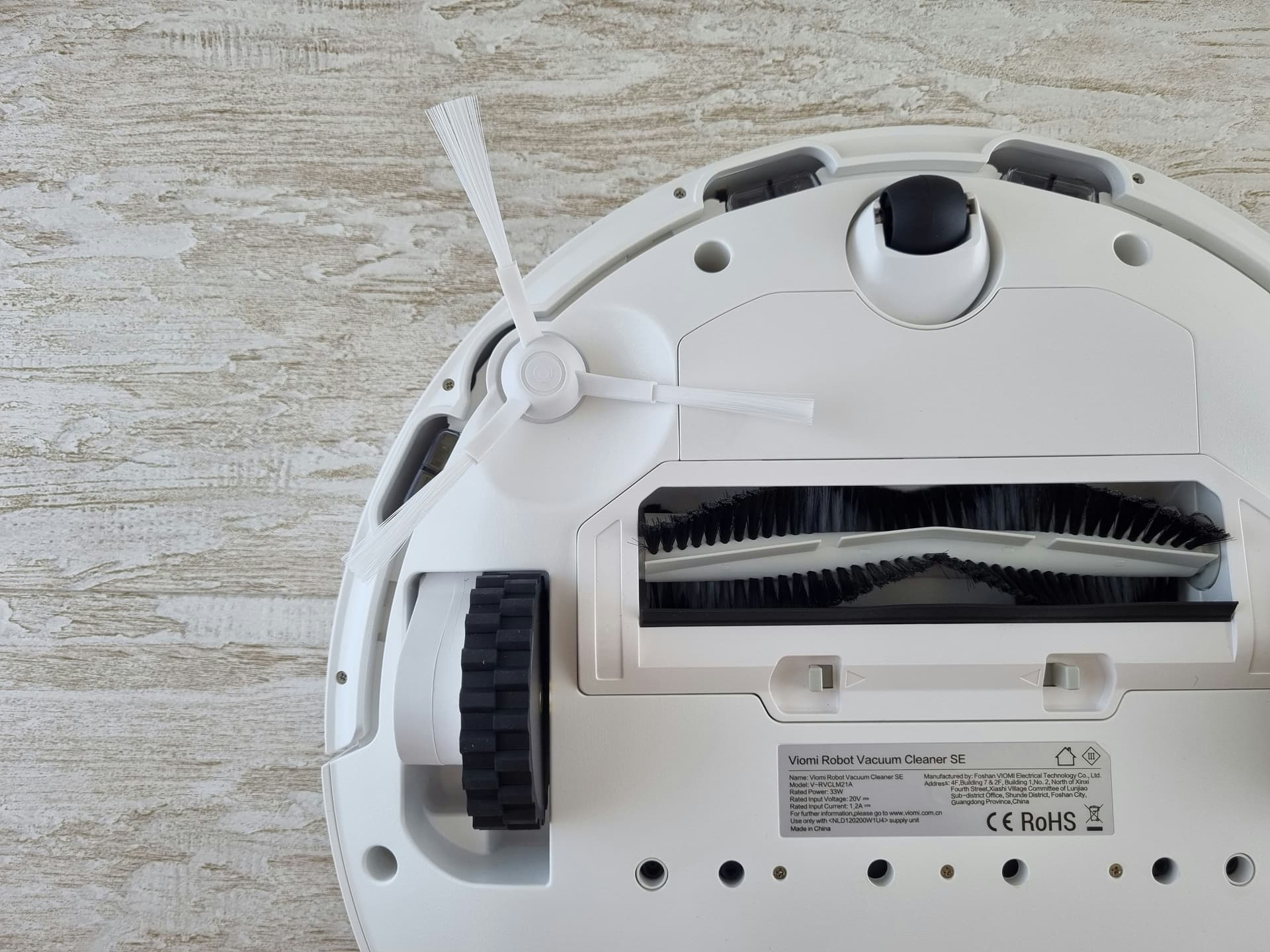
First — dirty or oxidised contacts. The two metal contacts on the robot's underside and the matching strips on the base must sit tight and clean. In Riga's humidity they film over with grey oxide that insulates the current. Flip the robot over, find the contacts on the front of the body, and wipe them and the base strips with a cloth lightly dampened in isopropyl alcohol. Check too that the contacts are not pushed in or bent — they should spring back when you press on them.
Second — a tired battery. Dreame's Li-ion cells lose capacity after 1.5–3 years of daily use. That is normal degradation, not a defect. The signs are clear:
- the robot runs noticeably shorter than when new (30–40 minutes instead of the rated 90–150)
- it shows 100%, but ten minutes later it already asks to charge
- it dies on the way back and never reaches the base
- the battery is swollen — the casing no longer closes fully; in that case stop using it immediately, a swollen Li-ion cell is dangerous
Before blaming the robot, make sure the base itself is alive: its indicator should light when plugged into the socket. If it does not, the problem may be in the base power supply rather than the battery — and it is worth checking in another socket, because voltage dips in older blocks often "kill" the adapters specifically.
The DIY line here is clear: cleaning contacts and checking the base is the owner's job. Repacking the battery pack with quality cells and repairing the charge-control board is bench work — more on that below.
Navigation errors — the LDS/LiDAR turret and sensors
The turret on top of the Dreame is the LDS (Laser Distance Sensor) — a lidar that spins and scans the room to build a map. It is the robot's eyes. When the turret stops spinning freely, the robot loses its bearings and either refuses to drive or circles at random.
Three typical causes, from common to rare:
- Hair and fur around the turret base. Long hair winds into the gap between the spinning turret and the body and brakes it. This is by far the most common reason.
- Dust or grime on the lidar window. In the heating season dry dust sticks faster; the robot "can't see" and errs.
- A worn turret drive motor or bearing. That is already a hardware failure.
What to check yourself: flip the robot over and gently turn the turret with a finger — it should spin lightly and evenly, with no catching or jerking. If you feel resistance, there is almost certainly hair or thread in the gap; blow it out with compressed air and wipe the lidar window with a soft dry cloth. Then restart the robot and run a clean.
If after cleaning the turret still won't spin, squeals or spins unevenly — the fault is in the LDS module. It is a replaceable part, but that is bench work. The same applies when the robot keeps reporting a laser error even with a clean, freely spinning turret — then the sensor is not returning data electronically and there is no point cleaning it again.
The map keeps vanishing or redrawing
A separate, frequent complaint: navigation works, but the robot rebuilds the map every time or forgets the saved rooms. This is rarely a fault — more often the conditions of use are to blame.
Swipe to see the full table
The practical minimum: place the base against a wall on level floor, with free space around it, and don't move it. Run a full clean to build a fresh map and save it. If the map still vanishes once the base sits steady and the robot always starts from it — then it is worth checking the LDS or camera module at the service centre.
We cover navigation faults in more detail in a separate article on robot vacuum navigation problems.
Weak suction or debris left behind
If the Dreame drives fine but leaves crumbs and dust behind it, the culprit is almost always a clog or a hair-wrapped mechanism — not the motor itself. We check the air path from the bin to the turbine in order:
- Dust bin and filter. Empty the bin and pull the filter. A clogged filter is the number-one cause of weak suction: it blocks airflow and overloads the motor. If the filter is washable, rinse it under water and dry it fully, at least a day, before putting it back.
- Air channel. Compressed dust and fur build up between the bin and the turbine. Clear the channel with a thin brush.
- Main brush. A hair-wrapped roller brush turns stiffly and won't pick up debris. Pull it out and cut off the wrapped hair, especially at the ends where the brush enters the bearings.
- Seals. Check that the bin's rubber gaskets sit tight — otherwise air leaks past the filter and suction drops.
If, after a clean filter, a blown-out channel and a freed brush, suction is still weak and the turbine sounds muffled or uneven — then a worn suction motor is the suspect. Replacing the motor is a standard but bench procedure: it takes partial disassembly of the robot and the right spare part.
Brush and side-brush jams, wheel faults
The brushes and wheels are the most loaded assemblies, and their problems almost always start the same way — with hair and thread.
Main brush. Wound hair blocks the bearings and overloads the brush motor; the robot reports a blocked brush or leaves dirty stripes. Pull the brush out, clean the bearing ends, and check that it turns freely.
Side brush. Unscrew it (usually one fastener), remove the hair, and check that the mounting pin is not bent. A bent pin means the brush needs replacing.
Wheels and sensors. The drive-wheel axles also wind up with hair — then the robot reports a wheel stuck or hanging in the air. Pull out visible debris with tweezers and check that the wheels drop and rise freely. While you are there, wipe the cliff sensors on the robot's underside: dusty sensors make the robot "see" a step where there is none, and it starts avoiding a non-existent drop, especially on dark or glossy floors.
The DIY line: cleaning and replacing worn brushes is the owner's job. A burnt-out brush or wheel drive motor (the brush won't turn on a clean axle, a smell of burning, the wheel doesn't respond) is bench work.
Maintenance heads off most of these faults; more on that in the article on robot vacuum maintenance.
Error signals — what the categories mean
Dreame reports errors with voice messages and in the Dreamehome app (or Mi Home, if the model is paired there). The specific numbers differ between models, so it is more useful to understand the categories of error and which call for the owner's hand and which for the service centre:
Swipe to see the full table
A pattern from the bench: if the error clears after cleaning or a restart, it was a mechanical or dirt-driven alarm. If the same error returns after every cleaning step, it is no longer dirt but hardware, and the device needs diagnostics.
When it's a bench repair (decision table)
This table sums up where the owner's line ends and the service centre begins. Before bringing the robot in, work through the left column; if the symptom stays in the right one, it is our job.
Swipe to see the full table
We run a fast diagnostic at our service centre for such repairs — replacing a brush or filter and replacing an LDS module or suction motor are jobs of very different scale, so we assess it on inspection, with the actual fault in front of us, and tell you honestly whether it is worth repairing. We do full robot vacuum repair in Riga across the whole Dreame line — the D9, L10, L20 and X series.
Repair path
Where to go next if this fault is repairable
Related SATER service, brand and fault pages help you understand the repair route and get the device into the right diagnostic flow.
Frequently Asked Questions
Need professional repair?
SATER service centre — Silmaču iela 6, Riga
SATER service — home electronics & appliance repair in Riga