How a Service Centre Works from the Inside — Diagnostic Process Explained
Behind the scenes at the SATER service centre: receiving equipment, diagnostics, test equipment, the repair process, quality testing before return.
Contents
For most people, a service centre is a mysterious place: you hand over a broken television, collect a working one a few days later, and receive a bill. What happens between those two points stays behind closed doors.
In this article, we open the doors of the SATER service centre at Silmaču iela 6 in Riga and show how the electronics repair process works — from the moment of reception to handover. We've been operating here since 1993, in the historic building of the former Elektrons factory (in Soviet times, Workshop No. 2), and over 30+ years have refined every stage to clockwork precision.
Stage 1: Reception and Initial Inspection
What Happens When You Bring Equipment In
When a customer brings in a device, the receptionist:
- Records customer details — name, contact number.
- Logs the device model — brand, model, serial number.
- Listens to the problem description — "won't turn on," "lines on the screen," "strange noise." Details from the customer are invaluable. The more precise the description, the faster the diagnosis.
- Conducts a visual inspection — external damage, signs of moisture, connector condition, completeness (remote, cables).
- Tests the device when powered on (if safe) — does it turn on, what symptoms appear.
- Issues a receipt — a document describing the device, reported fault, and conditions.
Important for customers: tell us everything that preceded the fault. "There was a power surge," "it fell off the wall," "it stopped working after the storm" — this information can cut diagnostic time dramatically.
Stage 2: Diagnostics
Diagnosis is the most intellectually demanding stage of repair. It's not "plugged it in and had a look" — it's systematic analysis, often at component level.
Visual Diagnostics
The technician opens the device and looks for visible damage:
- Swollen capacitors — electrolytic capacitors with a bulging top. One of the most common causes of TV and power supply failures.
- Overheating traces — darkened board areas, melted plastic, discoloured components.
- Solder cracks — "cold solder joints" that appear from thermal cycling (heating-cooling). Visually: dull, matt solder instead of shiny.
- Moisture and corrosion traces — greenish or whitish deposits on the board.
- Mechanical damage — broken connectors, torn wires, board cracks.
Electrical Diagnostics
If visual inspection doesn't reveal an obvious problem, we move to measurements:
Multimeter — the foundational tool. Measures voltage (DC and AC), resistance, capacitance, and tests diodes and transistors.
ESR meter — a specialist instrument for testing electrolytic capacitors in-circuit, without desoldering. ESR (Equivalent Series Resistance) increases as a capacitor degrades. A capacitor may show correct capacitance but elevated ESR — and malfunction. A standard multimeter won't reveal this.
Oscilloscope — the electronics technician's "eyes." Displays electrical signal waveforms over time: power supply ripple, processor clock signals, PWM waveforms (LED backlight control, motors), communication protocols (I²C, SPI, UART).
Laboratory power supply — allows precise voltage to be applied to a board whilst measuring current draw. If the board draws excessive current, there's a short circuit somewhere. The current magnitude helps narrow down the faulty area.
Thermal camera / thermocouple — finding overheating components. We apply power and look for "hot spots."
Component-Level Diagnostics
At this stage, the technician identifies the specific faulty component:
- Semiconductor testing (transistors, diodes, voltage regulators) — with multimeter and oscilloscope
- IC testing — by pin voltages, clock signal presence, behaviour (overheating, no response)
- Transformer testing — for open circuits, inter-winding shorts (by inductance measurement)
- LED strip testing (in TVs) — a specialist LED backlight tester applies current to show which LEDs have failed
Stage 3: Customer Consultation
After diagnostics, the technician prepares a report:
- What failed — specific component or module
- Why — root cause (overheating, power surge, natural wear, manufacturing defect)
- What's needed — parts, time
- Cost — parts + labour
- Economic sense — honest recommendation: is repair worthwhile, or is buying new more economical
We contact the customer by phone and discuss options. The customer decides.
SATER's principle: we never repair without the customer's consent. And we'll honestly say if repair isn't worthwhile.
Stage 4: Repair
Specialist Workstations
At SATER, workstations are organised by device type:
- Televisions — large workbenches with anti-static mats, LED backlight test rigs, board stands
- Audio equipment — workstation with signal generators, oscilloscopes, acoustic loads (resistors instead of speakers for safe amplifier testing)
- Robot vacuums — motor, LiDAR module, and programming test bench
- Power tools — area with extraction (carbon brush dust), vices, bearing presses
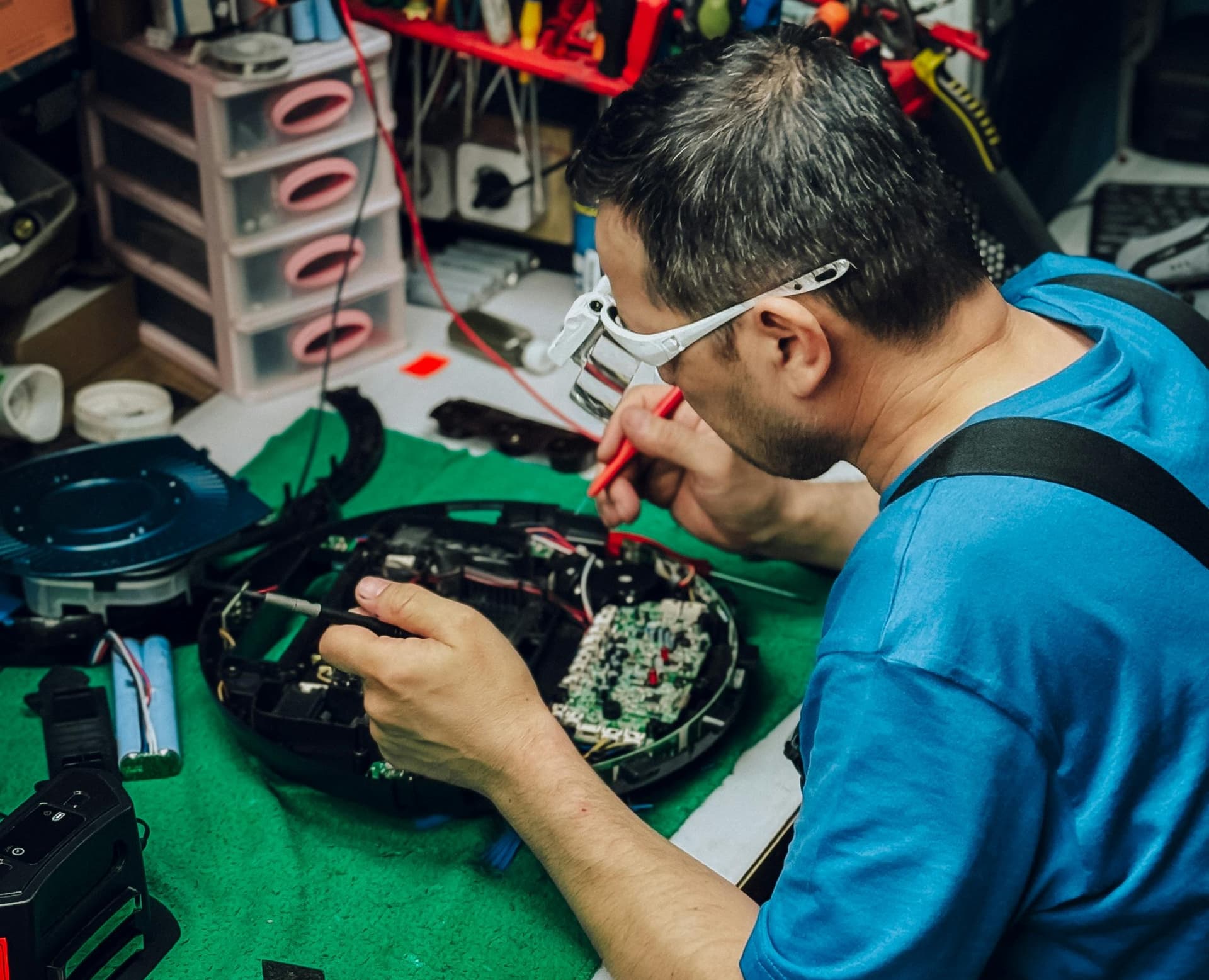
- Soldering — contact soldering stations (standard components), hot air stations (SMD components), infrared station (BGA ICs)
The Soldering Process
Soldering is the electronics technician's core skill. In modern electronics, components are microscopic: SMD resistors measuring 0.6×0.3 mm, ICs with 0.5 mm pin pitch.
Soldering tools:
- Contact soldering station — for standard components. Adjustable temperature (200-400°C), interchangeable tips.
- Hot air station — for SMD components. Hot air melts solder around the component.
- Infrared station — for BGA ICs (Ball Grid Array). The IC is soldered by solder balls on its underside — access with a soldering iron is impossible.
- Microscope — for fine-component work. We use a stereo microscope at 10-45× magnification.
Sourcing and Fitting Parts
Finding the right part is sometimes harder than performing the repair:
- Original parts — ordered from manufacturers and authorised distributors. Delivery: 3-14 days.
- Compatible parts — tested equivalents with identical specifications. Often as good as originals.
- Components (capacitors, transistors, resistors) — from professional electronics suppliers (Mouser, Farnell, TME).
- Donor boards — sometimes the only source of a rare IC is another board from the same device.
Stage 5: Quality Control
After repair, the device undergoes testing:
- Functional test — all functions work: power-on, channel switching, Wi-Fi, sound, picture.
- Stress test — the device operates under load for 2-4 hours. TVs at maximum brightness; audio equipment at 70-80% power.
- Thermal monitoring — we check repaired components aren't overheating.
- Parameter measurement — voltages, currents, and waveforms must match specification.
Only after passing all tests is the device marked ready for collection.
Stage 6: Repair Warranty
Every repair completed at SATER carries a warranty. The warranty covers the specific repair performed. If the same fault recurs within the warranty period, we resolve it free of charge.
Repair path
Where to go next if this fault is repairable
Related SATER service, brand and fault pages help you understand the repair route and get the device into the right diagnostic flow.
Frequently Asked Questions
Need professional repair?
SATER service centre — Silmaču iela 6, Riga
SATER service — home electronics & appliance repair in Riga